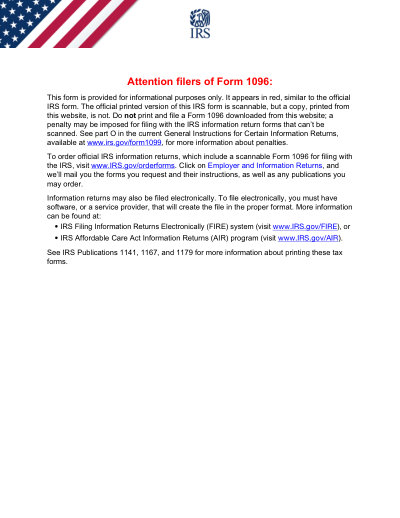
Formulario IRS 1096 (2026)

Plantilla Imprimible 2026

Not affiliated with the IRS. Please verify current version before use.
Última actualización del formulario: 03/2024. Verifica que esta sea la versión actual antes de usarla.

Completa y envía fácilmente tu formulario 1096 (2026)

Sigue estos sencillos pasos para completar, firmar y enviar tu formulario 1096 (2026) en línea.

01

Rellena tu formulario

Nuestro editor intuitivo te ayuda a introducir rápidamente datos personales y de empresa en la plantilla 1096 (2026).

02

Firma el formulario

Añade tu firma electrónica al formulario rellenable 1096 (2026) para certificar que proviene directamente de ti.

03

Envíalo al solicitante

Descarga e imprime o comparte al instante tu 1096 (2026) firmado con el solicitante.

¿Cómo rellenar un 1096 (2026) en línea?

Sigue estos pasos para completar tu formulario 1096 (2026) en línea.

Step 01

Access the pre-loaded 2026 Form 1096 in the PDF editor.

Step 02

Enter your business name, address, and contact number.

Step 03

Provide your EIN or SSN.

Step 04

Select the type of information return being submitted.

Step 05

Indicate the total number of forms and the total amount.

Step 06

Review for accuracy and create an electronic signature if needed.

¿Para qué se usa un 1096 (2026)?

Form 1096 is the summary and transmittal document used to send paper information returns — forms 1097, 1098, 1099, 3921, 3922, 5498, and W-2G — to the IRS for the 2026 tax year. It totals the number of forms you are submitting and the amounts reported on them. Always make sure you are using the correct version for the appropriate tax year.

Quién necesita rellenar un formulario 1096 (2026)

Businesses and entities that file paper information returns with the IRS for the 2026 tax year. If you file those returns electronically, you do not need Form 1096.

What is the 2026 Form 1096 used for?

Form 1096 is a summary and transmittal form used to submit paper information returns (such as 1099s) to the IRS for the 2026 tax year. It reports the total number of forms and the total amounts you are transmitting.

When is the 2026 Form 1096 due?

For most 2026 information returns, the paper Form 1096 is generally due by the end of February 2027. When Form 1096 accompanies forms 1099-NEC, it is due earlier — by January 31, 2027. Always confirm the current deadline in the IRS instructions.

How to get a blank 2026 Form 1096?

This form is issued by the Internal Revenue Service (IRS), and our platform automatically provides a blank version for you—no separate download is required. Please note that Convert2 helps you fill out and download the form, but it does not support filing.

Do I need to file Form 1096 if I file electronically?

No, Form 1096 is not required if you are filing your 2026 information returns electronically.

¿Listo para Rellenar Tu Formulario 1096 (2026)?

Comienza a rellenar tu formulario en línea en minutos. Rápido, seguro y completamente gratis.

Our users speak for themselves

Calidad excepcional verificada por profesionales reales.

Verified

"The editing was very easy and easy to download the document."

FB

Fouzia Barwari

Jun 2, 2026

Verified

"Quick easy and straightforward thank you"

MD

MRS DAWN ANDREWS

May 23, 2026

Verified

"Simple efficient process. It all worked."

SS

Sundeep Salins

Jun 3, 2026

Verified

"Editing was easy. I changed some text in the file without affecting the original font or page layout"

BH

Bhagya

May 14, 2026

Preguntas frecuentes

¿Qué es PDFocused?
PDFocused es un conjunto de herramientas de PDF y documentos en línea que te permite editar, rellenar, combinar, dividir, comprimir, rotar, convertir y aplicar OCR a archivos directamente desde tu navegador. También ofrece páginas de formularios listos para usar y un editor en el navegador para flujos de trabajo habituales.
¿Es seguro usar PDFocused?
Sí. PDFocused está diseñado con un enfoque de seguridad prioritario para la gestión de cargas y cuentas, con infraestructura segura y una gestión controlada del ciclo de vida de los archivos. Los archivos temporales se procesan y eliminan automáticamente, y las operaciones de cuenta/suscripción se realizan mediante flujos verificados.
¿PDFocused es por suscripción o se paga una sola vez?
PDFocused utiliza un modelo de suscripción con varios planes, incluyendo acceso tipo prueba y opciones recurrentes. La visibilidad de los planes puede variar según el historial del usuario (por ejemplo, elegibilidad para la prueba), y el acceso a ofertas especiales puede depender de la elegibilidad de la cuenta.
¿Cómo edito un PDF en PDFocused?
Abre PDFocused, sube tu archivo y lanza el editor. Puedes rellenar campos, ajustar el contenido y aplicar operaciones sobre el documento. Cuando termines, exporta o descarga tu archivo actualizado desde el mismo flujo.
¿Qué funciones principales incluye PDFocused?
PDFocused admite edición de PDF, relleno de formularios, combinar, dividir, eliminar páginas, rotar páginas, comprimir PDF, OCR y varias herramientas de conversión (como PDF a imágenes, imágenes a PDF, PDF a DOCX, Office a PDF, PDF a EPUB/RTF/Excel y conversión de formatos de imagen).
¿Qué tipos de archivo admite PDFocused?
PDFocused admite principalmente flujos con PDF y también admite conversiones habituales de Office e imagen mediante herramientas dedicadas, incluyendo formatos de documento e imagen utilizados en flujos de trabajo estándar.
¿Qué debo hacer si encuentro un error?
Si algo falla, reintenta la operación con una nueva carga/sesión. Si el problema persiste, contacta con el soporte de PDFocused usando el canal de soporte indicado en el pie de la página para que el equipo pueda investigar con los detalles de tu cuenta/sesión.
¿Cómo elijo la herramienta de PDF en línea adecuada?
Comprueba que la plataforma cubra todo tu flujo (editar + convertir + comprimir + formularios), que ofrezca una gestión fiable de cuenta/facturación y que procese tus archivos de forma segura con canales de soporte claros. PDFocused está diseñada como un flujo integral en el navegador para que no tengas que saltar entre varias herramientas.
/ 1
100%