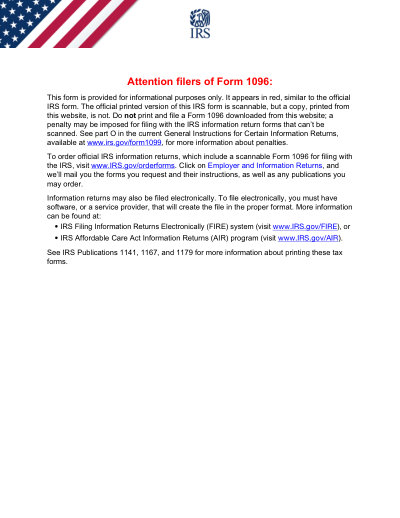
IRSフォーム 1096 (2026)

2026印刷可能なテンプレート

Not affiliated with the IRS. Please verify current version before use.
フォームの最終更新日: 2024 年 3 月。使用する前に、これが現在のバージョンであることを確認してください。

1096 (2026)フォームに簡単に記入して送信します

次の簡単な手順に従って、オンラインで1096 (2026)フォームに記入、署名し、送信します。

01

フォームに記入してください

ユーザーフレンドリーなエディターを使用すると、個人やビジネスの詳細を1096 (2026)テンプレートにすばやく入力できます。

02

フォームに署名する

入力可能な1096 (2026)フォームに電子署名を追加し、ご本人が送信したことを証明できます。

03

依頼者に送信します

入力済みの1096 (2026)フォームを依頼者と共有します。

オンラインで1096 (2026)に記入するにはどうすればよいですか?

オンラインで1096 (2026)フォームに記入するには、次の手順に従ってください。

Step 01

Access the pre-loaded 2026 Form 1096 in the PDF editor.

Step 02

Enter your business name, address, and contact number.

Step 03

Provide your EIN or SSN.

Step 04

Select the type of information return being submitted.

Step 05

Indicate the total number of forms and the total amount.

Step 06

Review for accuracy and create an electronic signature if needed.

1096 (2026)は何に使用されますか?

Form 1096 is the summary and transmittal document used to send paper information returns — forms 1097, 1098, 1099, 3921, 3922, 5498, and W-2G — to the IRS for the 2026 tax year. It totals the number of forms you are submitting and the amounts reported on them. Always make sure you are using the correct version for the appropriate tax year.

1096 (2026)フォームに記入する必要があるのは誰ですか

Businesses and entities that file paper information returns with the IRS for the 2026 tax year. If you file those returns electronically, you do not need Form 1096.

What is the 2026 Form 1096 used for?

Form 1096 is a summary and transmittal form used to submit paper information returns (such as 1099s) to the IRS for the 2026 tax year. It reports the total number of forms and the total amounts you are transmitting.

When is the 2026 Form 1096 due?

For most 2026 information returns, the paper Form 1096 is generally due by the end of February 2027. When Form 1096 accompanies forms 1099-NEC, it is due earlier — by January 31, 2027. Always confirm the current deadline in the IRS instructions.

How to get a blank 2026 Form 1096?

This form is issued by the Internal Revenue Service (IRS), and our platform automatically provides a blank version for you—no separate download is required. Please note that Convert2 helps you fill out and download the form, but it does not support filing.

Do I need to file Form 1096 if I file electronically?

No, Form 1096 is not required if you are filing your 2026 information returns electronically.

フォーム1096 (2026)に記入する準備はできましたか?

数分でオンラインでフォームに記入を開始できます。高速、安全、そして完全に無料です。

Our users speak for themselves

本物の専門家によって検証された優れた品質。

Verified

"The editing was very easy and easy to download the document."

FB

Fouzia Barwari

Jun 2, 2026

Verified

"Quick easy and straightforward thank you"

MD

MRS DAWN ANDREWS

May 23, 2026

Verified

"Simple efficient process. It all worked."

SS

Sundeep Salins

Jun 3, 2026

Verified

"Editing was easy. I changed some text in the file without affecting the original font or page layout"

BH

Bhagya

May 14, 2026

よくある質問

PDFocusedとは何ですか?
PDFocusedは、ブラウザで直接ファイルの編集、入力、結合、分割、圧縮、回転、変換、OCRを行うのに役立つオンラインPDFおよびドキュメント ツールキットです。また、すぐに使用できるフォーム ページと、一般的なドキュメント ワークフロー用のブラウザ内エディタも提供します。
PDFocusedは安全に使用できますか?
はい。PDFocusedは、安全なインフラストラクチャや制御されたファイル ライフサイクル管理など、アップロードとアカウント フローに対するセキュリティ最優先の処理を備えて構築されています。一時ファイルは自動的に処理およびクリーンアップされ、アカウント/サブスクリプション操作は検証済みのバックエンド フローを通じて処理されます。
PDFocusedはサブスクリプション ベースですか、それとも1回限りの購入ですか?
PDFocusedは、トライアル スタイルのアクセスや定期的なオプションなど、複数のプランを備えたサブスクリプション モデルを使用します。プランの可視性はユーザー履歴 (トライアル資格など) によって異なり、特別オファーへのアクセスはアカウントの資格によって異なる場合があります。
PDFocusedでPDFを編集するにはどうすればよいですか?
PDFocusedを開いてファイルをアップロードし、エディターを起動します。フィールドに入力し、コンテンツを調整し、ドキュメント操作を適用できます。完了したら、同じワークフローから更新されたファイルをエクスポート/ダウンロードします。
PDFocusedにはどのようなコア機能が含まれていますか?
PDFocusedは、PDFの編集、フォーム入力、結合、分割、ページの削除、ページの回転、PDFの圧縮、OCR、および複数の変換ツール (PDFから画像、画像からPDF、PDFから DOCX、Office からPDF、PDFから EPUB/RTF/Excelテーブル、画像形式変換ツールなど) をサポートしています。
PDFocusedはどのようなファイル形式をサポートしていますか?
PDFocusedは主にPDFワークフローをサポートし、標準的なビジネス ワークフローで使用されるドキュメントおよび画像形式を含む、専用ツールを介した一般的なオフィスおよび画像の変換パスもサポートします。
エラーが発生した場合はどうすればよいですか?
何かが失敗した場合は、新しいアップロード/セッションで操作を1回再試行してください。問題が解決しない場合は、サイト フッターに表示されているサポート チャネルを使用してPDFocusedサポートに連絡し、チームがアカウント/セッションの詳細を調査できるようにしてください。
適切なオンラインPDFツールを選択するにはどうすればよいですか?
プラットフォームが完全なワークフロー (編集 + 変換 + 圧縮 + フォーム) をカバーし、信頼性の高いアカウント/請求処理を備え、明確なサポート チャネルによる安全な処理を提供していることを確認してください。PDFocusedはオールインワンのブラウザ ワークフローとして設計されているため、複数のツールを行き来する必要がなくなります。
/ 1
100%