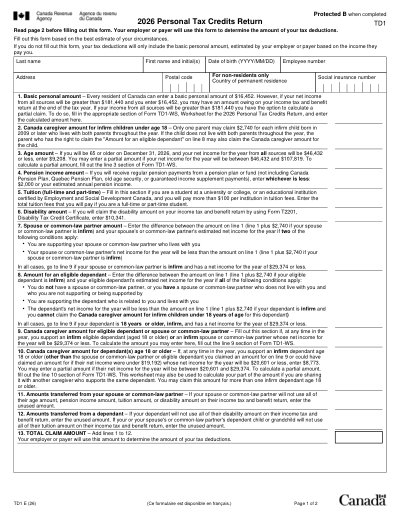
Plantilla Imprimible 2026
This website is not affiliated with any government agency or tax authority.
Última actualización del formulario: 03/2024. Verifica que esta sea la versión actual antes de usarla.
Completa y envía fácilmente tu formulario TD1 (2026)
Sigue estos sencillos pasos para completar, firmar y enviar tu formulario TD1 (2026) en línea.
Rellena tu formulario
Nuestro editor intuitivo te ayuda a introducir rápidamente datos personales y de empresa en la plantilla TD1 (2026).
Firma el formulario
Añade tu firma electrónica al formulario rellenable TD1 (2026) para certificar que proviene directamente de ti.
Envíalo al solicitante
Descarga e imprime o comparte al instante tu TD1 (2026) firmado con el solicitante.
¿Cómo rellenar un TD1 (2026) en línea?
Sigue estos pasos para completar tu formulario TD1 (2026) en línea.
Step 01
Access the TD1 form in the PDF editor.
Step 02
Fill in your personal details accurately.
Step 03
Complete any relevant sections for tax credits.
Step 04
Review all information for accuracy.
Step 05
Download the completed form.
Step 06
Submit the form to your employer.
¿Para qué se usa un TD1 (2026)?
Quién necesita rellenar un formulario TD1 (2026)
What is Form TD1?
When should Form TD1 be submitted?
Do I need to sign Form TD1?
¿Listo para Rellenar Tu Formulario TD1 (2026)?
Comienza a rellenar tu formulario en línea en minutos. Rápido, seguro y completamente gratis.
Our users speak for themselves
Calidad excepcional verificada por profesionales reales.
"The editing was very easy and easy to download the document."
Fouzia Barwari
Jun 2, 2026
"Quick easy and straightforward thank you"
MRS DAWN ANDREWS
May 23, 2026
"Simple efficient process. It all worked."
Sundeep Salins
Jun 3, 2026
"Editing was easy. I changed some text in the file without affecting the original font or page layout"
Bhagya
May 14, 2026
Preguntas frecuentes
¿Qué es PDFocused?
¿Es seguro usar PDFocused?
¿PDFocused es por suscripción o se paga una sola vez?
¿Cómo edito un PDF en PDFocused?
¿Qué funciones principales incluye PDFocused?
¿Qué tipos de archivo admite PDFocused?
¿Qué debo hacer si encuentro un error?
¿Cómo elijo la herramienta de PDF en línea adecuada?
