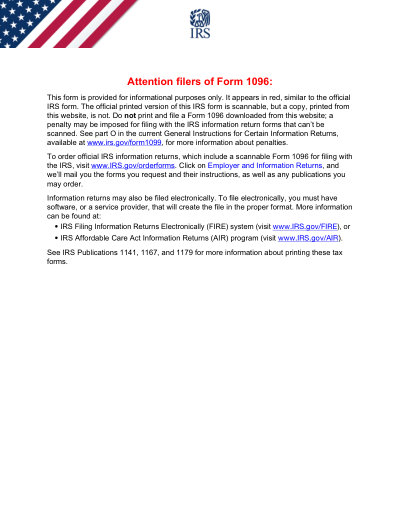
IRS 表單 1096 (2025)

2025 可列印範本

Not affiliated with the IRS. Please verify current version before use.
表單最後更新時間:2024 年 3 月。使用前請確認此為最新版本。

輕鬆完成並提交您的 1096 (2025) 表單

依照以下簡單步驟,線上填寫、簽署並送出您的 1096 (2025) 表單。

01

填寫表單

我們直覺易用的編輯器,讓您快速填入個人或公司資料至 1096 (2025) 表單範本。

02

簽署表單

在 1096 (2025) 表單上加入您的電子簽名,確認文件由您本人親自提交。

03

傳送給申請方

下載已簽署的 1096 (2025),立即列印或分享給申請方。

如何線上填寫 1096 (2025)?

依照以下步驟,線上完成您的 1096 (2025) 表單。

Step 01

Access the pre-loaded 2025 Form 1096 in the PDF editor.

Step 02

Enter your business name, address, and contact number.

Step 03

Provide your EIN or SSN.

Step 04

Select the type of information return being submitted.

Step 05

Indicate the total number of forms and the total amount.

Step 06

Review for accuracy and create an electronic signature if needed.

1096 (2025) 的用途是什麼?

Form 1096 is the summary and transmittal document used to send paper information returns — forms 1097, 1098, 1099, 3921, 3922, 5498, and W-2G — to the IRS for the 2025 tax year. It totals the number of forms you are submitting and the amounts reported on them. Always make sure you are using the correct version for the appropriate tax year.

哪些人需要填寫 1096 (2025) 表單

Businesses and entities that file paper information returns with the IRS for the 2025 tax year. If you file those returns electronically, you do not need Form 1096.

What is the 2025 Form 1096 used for?

Form 1096 is a summary and transmittal form used to submit paper information returns (such as 1099s) to the IRS for the 2025 tax year. It reports the total number of forms and the total amounts you are transmitting.

When is the 2025 Form 1096 due?

For most 2025 information returns, the paper Form 1096 is generally due by the end of February 2026. When Form 1096 accompanies forms 1099-NEC, it is due earlier — by January 31, 2026. Always confirm the current deadline in the IRS instructions.

How to get a blank 2025 Form 1096?

This form is issued by the Internal Revenue Service (IRS), and our platform automatically provides a blank version for you—no separate download is required. Please note that Convert2 helps you fill out and download the form, but it does not support filing.

Do I need to file Form 1096 if I file electronically?

No, Form 1096 is not required if you are filing your 2025 information returns electronically.

準備好填寫 1096 (2025) 了嗎?

幾分鐘內即可線上填寫表單,快速、安全、完全免費。

Our users speak for themselves

經專業人士親身驗證的卓越品質。

Verified

"The editing was very easy and easy to download the document."

FB

Fouzia Barwari

Jun 2, 2026

Verified

"Quick easy and straightforward thank you"

MD

MRS DAWN ANDREWS

May 23, 2026

Verified

"Simple efficient process. It all worked."

SS

Sundeep Salins

Jun 3, 2026

Verified

"Editing was easy. I changed some text in the file without affecting the original font or page layout"

BH

Bhagya

May 14, 2026

常見問題 FAQ

PDFocused 是什麼?
PDFocused 是一款線上 PDF 與文件處理工具,讓您直接在瀏覽器中編輯、填寫、合併、分割、壓縮、旋轉、轉換 PDF,以及執行 OCR 文字辨識。此外,還提供現成的表單頁面與內建編輯器,滿足各種常見的文件處理需求。
PDFocused 安全嗎?
安全有保障。PDFocused 在檔案上傳與帳號操作上均採用安全優先的處理機制,包含安全基礎架構與嚴格的檔案生命週期管理。暫存檔案會在處理完成後自動清除,帳號與訂閱相關操作也透過經過驗證的後端流程進行處理。
PDFocused 是訂閱制還是買斷制?
PDFocused 採用訂閱制,提供多種方案選擇,包含試用性質的短期方案與定期續訂方案。可顯示的方案內容可能因使用者資格而有所不同(例如是否符合試用資格),特殊優惠的使用權限也可能依帳號條件而異。
如何在 PDFocused 上編輯 PDF?
開啟 PDFocused 後,上傳您的檔案並進入編輯器。您可以填寫欄位、調整內容,並執行各種文件操作。完成後,直接在同一介面匯出或下載更新後的檔案即可。
PDFocused 提供哪些核心功能?
PDFocused 支援 PDF 編輯、表單填寫、合併、分割、刪除頁面、旋轉頁面、壓縮 PDF、OCR 文字辨識,以及多種轉換工具(包含 PDF 轉圖片、圖片轉 PDF、PDF 轉 DOCX、Office 文件轉 PDF、PDF 轉 EPUB/RTF/Excel 表格,以及圖片格式轉換工具)。
PDFocused 支援哪些檔案格式?
PDFocused 以 PDF 文件處理為核心,同時透過專屬工具支援常見的 Office 文件與圖片格式轉換,涵蓋一般商務工作流程中常用的文件與圖片格式。
遇到錯誤時該怎麼辦?
若操作失敗,請重新上傳檔案並再試一次。若問題持續發生,請透過網站頁尾所示的客服管道聯繫 PDFocused 支援團隊,以便團隊根據您的帳號與操作記錄進行進一步排查。
如何選擇合適的線上 PDF 工具?
建議確認該平台是否涵蓋您的完整需求(編輯、轉換、壓縮、表單填寫),並具備可靠的帳號與付款處理機制,同時提供安全的檔案處理流程與清楚的客服管道。PDFocused 專為一站式瀏覽器工作流程設計,讓您無需在多個工具之間來回切換。
/ 1
100%