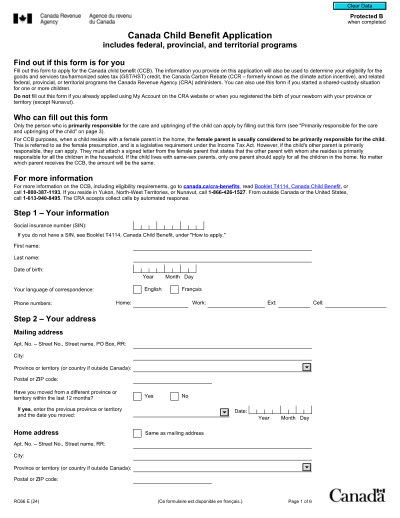
2025印刷可能なテンプレート
This website is not affiliated with any government agency or tax authority.
フォームの最終更新日: 2024 年 3 月。使用する前に、これが現在のバージョンであることを確認してください。
RC66フォームに簡単に記入して送信します
次の簡単な手順に従って、オンラインでRC66フォームに記入、署名し、送信します。
フォームに記入してください
ユーザーフレンドリーなエディターを使用すると、個人やビジネスの詳細をRC66テンプレートにすばやく入力できます。
フォームに署名する
入力可能なRC66フォームに電子署名を追加し、ご本人が送信したことを証明できます。
依頼者に送信します
入力済みのRC66フォームを依頼者と共有します。
オンラインでRC66に記入するにはどうすればよいですか?
オンラインでRC66フォームに記入するには、次の手順に従ってください。
Step 01
Access Form RC66 from the CRA website or a PDF editor.
Step 02
Fill in all required fields accurately.
Step 03
Retain proof of birth for your child for your records.
Step 04
Ensure all necessary information is included.
Step 05
Submit the completed form online through the CRA website or by mail.
RC66は何に使用されますか?
RC66フォームに記入する必要があるのは誰ですか
What documents do I need to apply for the Canada Child Benefit?
How do I submit my application?
How long does it take to receive my first payment after applying?
フォームRC66に記入する準備はできましたか?
数分でオンラインでフォームに記入を開始できます。高速、安全、そして完全に無料です。
Our users speak for themselves
本物の専門家によって検証された優れた品質。
"The editing was very easy and easy to download the document."
Fouzia Barwari
Jun 2, 2026
"Quick easy and straightforward thank you"
MRS DAWN ANDREWS
May 23, 2026
"Simple efficient process. It all worked."
Sundeep Salins
Jun 3, 2026
"Editing was easy. I changed some text in the file without affecting the original font or page layout"
Bhagya
May 14, 2026
よくある質問
PDFocusedとは何ですか?
PDFocusedは安全に使用できますか?
PDFocusedはサブスクリプション ベースですか、それとも1回限りの購入ですか?
PDFocusedでPDFを編集するにはどうすればよいですか?
PDFocusedにはどのようなコア機能が含まれていますか?
PDFocusedはどのようなファイル形式をサポートしていますか?
エラーが発生した場合はどうすればよいですか?
適切なオンラインPDFツールを選択するにはどうすればよいですか?