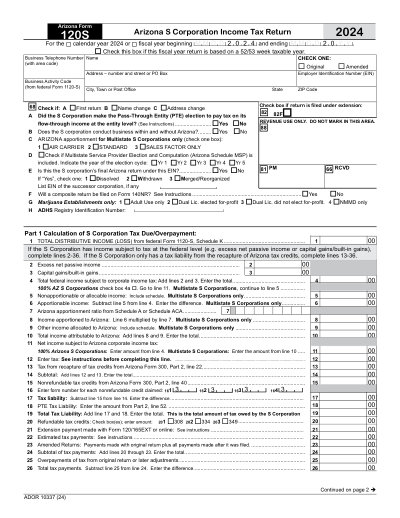
2025 Printable Template
This website is not affiliated with any government agency or tax authority.
Form last updated: 03/2024. Please verify this is the current version before use.
Easily complete & submit your 120S form
Follow these simple steps to fill, sign, and send your 120S form online.
Fill out your form
Our user-friendly editor helps you quickly enter personal & business details in the 120S template.
Sign the form
Add your electronic signature to the fillable 120S form to certify it came directly from you.
Send it to the requester
Download and instantly print or share your signed 120S with the requester.
How to fill out a 120S online?
Follow these steps to complete your 120S form online.
Step 01
Access Form 120S from the Arizona Department of Revenue's website or a PDF editor.
Step 02
Fill in your business information and financial details accurately.
Step 03
Review all entries for correctness and compliance with Arizona tax laws.
Step 04
Sign the form if required.
Step 05
Submit the completed form to the Arizona Department of Revenue.
What is a 120S used for?
Who needs to fill out a 120S form
What is Form 120S?
When is Form 120S due?
Who needs to file Form 120S?
What should I do if I make a mistake on Form 120S?
How can I obtain a blank Form 120S?
Ready to Fill Your Form 120S?
Start filling out your form online in minutes. Fast, secure, and completely free.
Our users speak for themselves
Exceptional quality verified by real professionals.
"The editing was very easy and easy to download the document."
Fouzia Barwari
Jun 2, 2026
"Quick easy and straightforward thank you"
MRS DAWN ANDREWS
May 23, 2026
"Simple efficient process. It all worked."
Sundeep Salins
Jun 3, 2026
"Editing was easy. I changed some text in the file without affecting the original font or page layout"
Bhagya
May 14, 2026
Frequently Asked Questions
What is PDFocused?
Is PDFocused safe to use?
Is PDFocused subscription-based or a one-time purchase?
How do I edit a PDF on PDFocused?
What core features does PDFocused include?
What file types does PDFocused support?
What should I do if I run into an error?
How do I choose the right online PDF tool?
